Nocode Chatbot
Meet Your “Know-it-all” AI Assistant!
No more missed messages in the spam folder or unevenly scattered conversations. With the shared inbox, manage your team’s interaction with customers and empower the seamless handling of conversations over multiple inboxes.
A Tireless Problem Solver
Liliya’s chatbot is not here to give up it helps handle thousands of customer queries automatically without a break, so your team can focus on more important things! No more bottlenecks but just a smooth conversation 24/7.
- Efficient and scalable
- Saves time and manual efforts
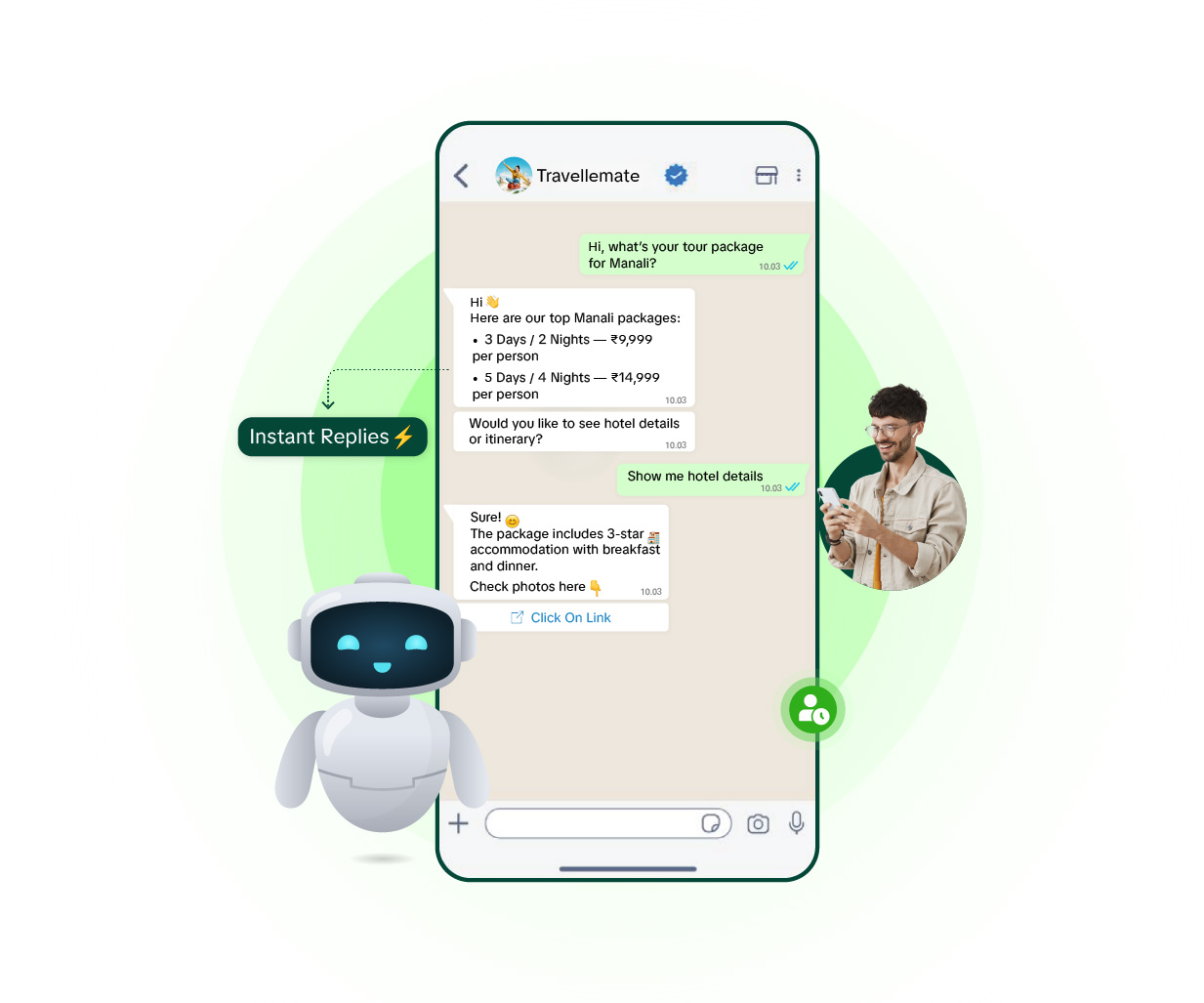
Instant Replies, Zero Wait Time
Customers do not deserve to wait, and why let them wait when Liliya’s Chatbot can provide lightning-fast and accurate resolutions to customer’s problems and queries?
- More satisfied customers
- No delays in replies
Conversations That Feel Human
Liliya’s chatbot is smart and can be well-trained as it provides the personal touch to deliver tailored answers and solutions that are as smooth as talking to a friend by understanding a customer’s needs accurately.
- 5 minutes to set up chatbot
- No complex coding
Free WhatsApp Chatbot vs the WhatsApp Business API
If you're searching for a free WhatsApp chatbot, it helps to know exactly where "free" stops and what you actually get.
What the free WhatsApp Business app can automate
The free WhatsApp Business app has three automation tools: a greeting message for first-time contacts, an away message for outside business hours, and quick replies (saved responses you trigger manually). That's the ceiling. It can't branch based on what a customer types, can't ask a sequence of questions, can't qualify a lead, and can't route a chat to a teammate. It also runs on a single phone, so it doesn't work for a team.
What "free" third-party chatbot builders actually cost
Several tools advertise a free WhatsApp chatbot. In practice the free tier usually caps monthly conversations or contacts, limits you to one basic linear flow, and still needs the official WhatsApp Business API underneath — which carries Meta's per-message fees no matter which builder you use. "Free" almost always means free software, not free messaging.
Where Liliya's no-code builder fits
Liliya's chatbot builder runs on the official WhatsApp Business API with a visual, no-code flow editor: branching logic, multi-step questions, lead qualification, and mid-chat handoff to the shared team inbox. It's part of the Growth plan and above — see pricing for what each plan includes. For a small team the practical setup is simple: let the bot handle instant replies and qualification, then let a human take over the conversations that matter. If you only need canned responses for now, our WhatsApp auto-reply message templates cover greetings, after-hours and busy-day replies you can copy straight into the free app.
WhatsApp Automated Replies and Chatbot Integration
Liliya includes a no-code WhatsApp chatbot builder, so you can set up automated message on WhatsApp without writing a single line of code. Build simple conversation flows that send an automatic reply on WhatsApp the moment a customer messages you — day or night — so no inquiry goes unanswered while you're busy, asleep, or out of the shop. The bot can also qualify leads on its own, asking a few quick questions before handing off serious buyers to your human team.
Because it runs on the official WhatsApp Business API (Meta's platform), chatbot integration with WhatsApp through Liliya is fully compliant and connects to the same shared team inbox your staff already uses. That means a conversation can start with the bot and be handed over to a real person mid-chat, with full context, so customers never have to repeat themselves. This is what makes it practical as a WhatsApp business automated messages setup for small teams — automation where it helps, a human where it matters.
One honest note: the WhatsApp AI chatbot and workflow automation builder is available from Liliya's Growth plan (₹3,000/mo) and above — it is not included on the entry-level ₹2,000/mo DIY plan, which is built for manual shared-inbox messaging only. If automated replies and lead qualification are a priority for your business, Growth is the plan to start from. You can try it with a 7-day free trial and no setup fee before deciding.
Is there a free WhatsApp chatbot?
The free WhatsApp Business app includes only basic automation: a greeting message, an away message, and manually triggered quick replies. It cannot branch on what a customer types, ask a sequence of questions, qualify a lead, or route a chat to a teammate. A real no-code chatbot needs the WhatsApp Business API, and while some builders offer a free software tier, Meta still charges its own per-message fees. Liliya's no-code chatbot builder is included from the Growth plan (₹3,000/mo).
Can I set up automatic replies on WhatsApp with Liliya?
Yes. Liliya's no-code chatbot builder lets you set up an automatic reply on WhatsApp for common customer questions, working hours, and instant acknowledgments — no developer or coding knowledge required. This is available from the Growth plan (₹3,000/mo) onward.
Does Liliya offer an AI chatbot for WhatsApp?
Liliya offers a no-code chatbot and workflow automation builder on WhatsApp that handles instant replies and lead qualification automatically, routing serious buyers to your human team. It is included from the Growth plan and above, not on the base ₹2,000/mo plan.
How do I integrate a chatbot with my WhatsApp Business number?
Since Liliya runs on the official WhatsApp Business API, your chatbot integration works directly through your existing WhatsApp Business number — no separate app or number switch needed. Once you are on the Growth plan or higher, you can build your automation flows directly in Liliya's dashboard.
Is the WhatsApp chatbot available on every Liliya plan?
No. The chatbot and automation builder is available starting from the Growth plan (₹3,000/mo). The entry-level ₹2,000/mo plan is designed for manual, shared-inbox messaging without automation.
What makes a WhatsApp chatbot reliable for a small business?
A reliable chatbot should run on the official WhatsApp Business API (not an unofficial workaround), respond instantly at any hour, and hand off to a human agent when the conversation needs a real person. Liliya's chatbot does all three, using the same shared team inbox your staff already works from.
What makes Liliya a good choice among WhatsApp chatbot options for Indian SMBs?
Liliya combines a no-code chatbot builder with a shared team inbox on the official WhatsApp Business API, so automated replies and human follow-up work together instead of as separate tools. It is built for Indian SMB owners who want automation without hiring a developer, and it comes with a 7-day free trial and no setup fee.
Frequently Asked Questions
Find answers to all questions here and get answers to all common questions here
1. What is the No-Code Chatbot?
<p>The No-Code Chatbot lets you build automated WhatsApp conversation flows using a visual drag-and-drop builder — no programming knowledge needed. You define the questions, keywords, and replies, and the bot handles incoming messages 24/7 automatically. Typical use cases include lead qualification, order status queries, FAQs, appointment booking, and after-hours support.</p>
2. How long does it take to set up the chatbot?
<p>A basic FAQ or keyword-response bot can be live in under 5 minutes. More complex flows with conditions and multiple branches typically take 15–30 minutes to build. Our template library gives you pre-built flows for common scenarios that you can customise with your own content and publish immediately.</p>
3. Can the chatbot hand off a conversation to a human agent?
<p>Yes. You can add a "Transfer to Agent" action at any point in a chatbot flow. When triggered, the conversation moves into the Team Inbox queue and an available agent can take over. The agent sees the full bot conversation history so the customer never has to repeat themselves.</p>
4. What happens if the chatbot does not understand a message?
<p>You can configure a fallback response — for example "I didn't quite get that. Type MENU to see options or type AGENT to speak with a person." You can also set a rule to automatically escalate to a human agent after a configurable number of unrecognised messages.</p>
5. Can the chatbot send images, buttons, and documents?
<p>Yes. Chatbot replies support the full range of WhatsApp message types: text, images, videos, PDFs, lists, and interactive quick-reply or call-to-action buttons. This lets you build rich guided flows — for example showing a product catalogue image with "Buy Now" and "Learn More" buttons.</p>
6. Does the chatbot work in multiple languages?
<p>Yes. You can create separate chatbot flows for different languages and trigger them based on the language the customer writes in. Many Liliya users run parallel flows in English, Hindi, and Gujarati to serve regional audiences without any extra cost.</p>
Get Started
While You're Reading This, Your Competitor Just Messaged Your Customer.
Set up in 24 hours. First broadcast free. Don't be the slower seller.