Broadcast
Broadcast Smarter, Connect in a Click
Strategies, manage and send bulk broadcast messages to your audience for boosted sales, and consistent success growth.
Effortless Mass Communication
Easily send personalized bulk messages to thousands without wrenching your time in just a few clicks. Streamline your communication, saving your valuable time and ensuring that your message reaches the targeted audience.
- Exactly like email marketing but through WhatsApp
- Automated sending messages
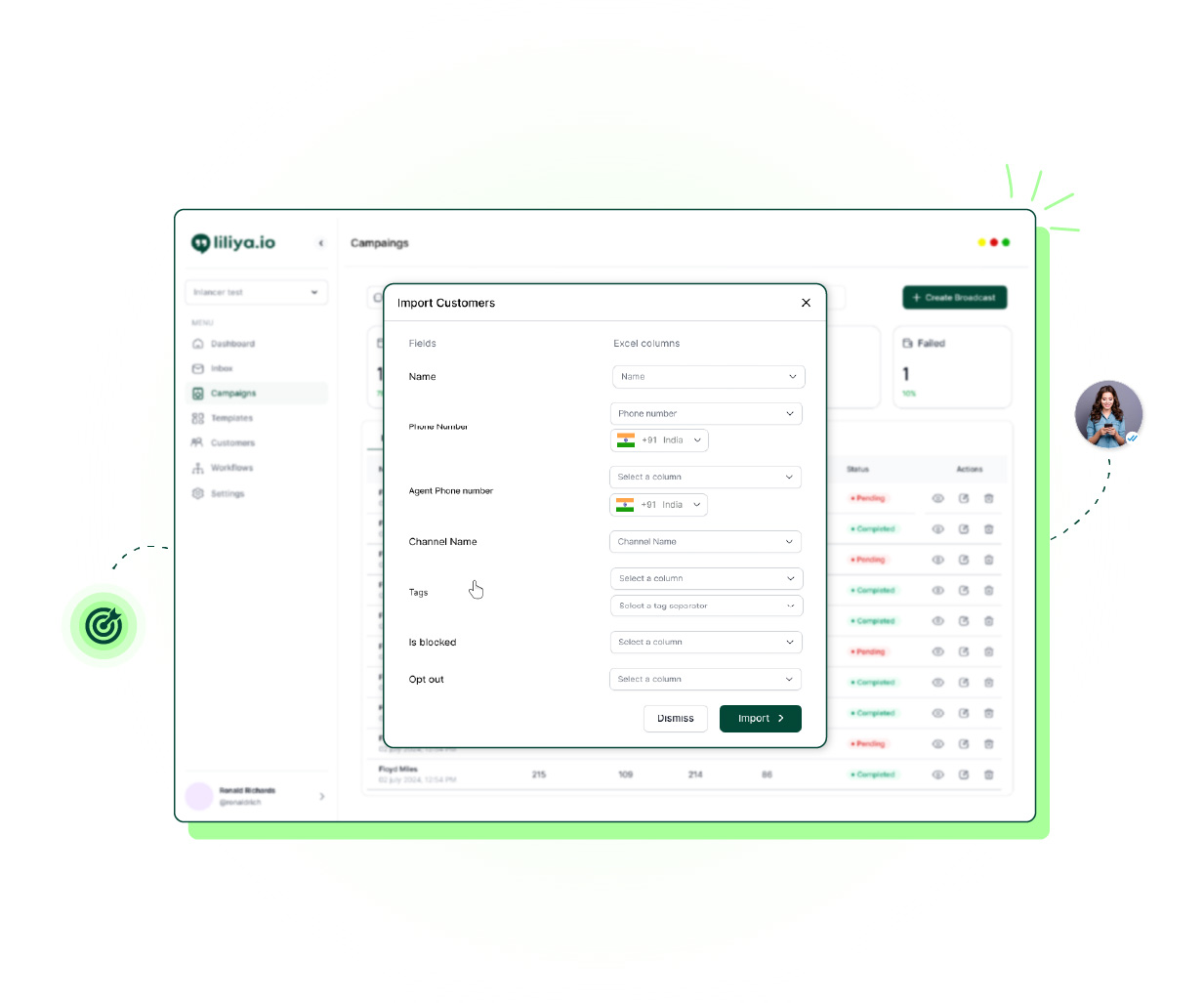
Targeted Engagement
Easily divide your audiences smartly based on location, behavior, and preferences, to send customized messages that exactly resonate with their needs. This helps in increasing engagement rates by delivering the right content that your customers expect and tend to show the responses.
- Connect with the right audience
- Scale personalisation, boost sales
Real-Time Analytics
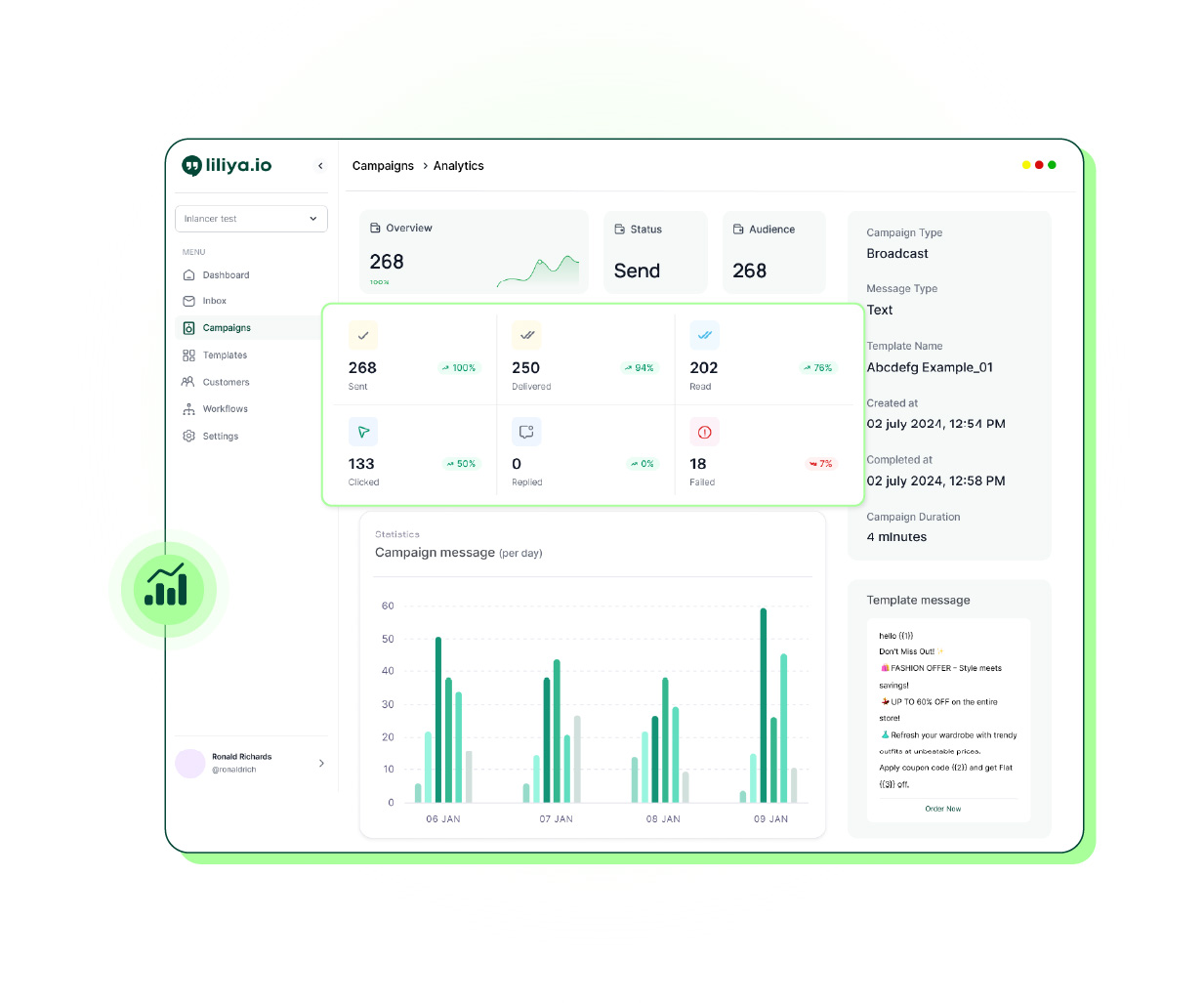
Study the success of the broadcast messages with the real-time tracking of open rates and customer responses. With these insights take the informed decisions in the business ahead and refine your messaging strategy.
- Know your business better
- Strategize your business wisely
WhatsApp Bulk Message Sender: How Broadcast Marketing Works on WhatsApp Business
If you have been searching for a "WhatsApp message sender" or a "wa sender" to run promotional campaigns, it helps to understand the difference between an unofficial WA sender extension and a proper WhatsApp business broadcast tool. A browser extension or automatic WhatsApp message sender that isn't connected to Meta's official WhatsApp Business API can get your number banned, since WhatsApp actively blocks unauthorised bulk-sending scripts. Liliya's broadcast feature works differently — it runs on the official WhatsApp Business API, so your promotional WhatsApp messages, marketing blasts, and business messages for WhatsApp are sent through a channel Meta itself recognises, using pre-approved WhatsApp message templates rather than random unstructured texts.
Why free bulk senders get numbers banned: the "free WhatsApp bulk sender" Chrome extensions and desktop apps that promise unlimited messages with no API automate WhatsApp Web through your own number. That breaks WhatsApp's Business Terms, and Meta's spam detection — much stronger since 2025 — spots the pattern quickly. Several of these tools even state in their own FAQs that a handful of user reports leads to a permanent ban, and a WhatsApp number ban is not reversible. The only zero-ban-risk way to send at volume is the official API with opted-in contacts and approved templates.
With Liliya as your WhatsApp marketing software, you get unlimited broadcasts on every plan — whether you're sending a quick update to 50 customers or a full whatsapp 1000 messages campaign to your entire list, there's no artificial message cap the way some tools restrict you. Every broadcast uses a WhatsApp business message template approved by Meta, so your whatsapp blast message reaches inboxes reliably instead of getting flagged as spam. You can also segment your audience by location, behaviour, or preferences before you hit send, so your whatsapp marketing campaigns feel targeted rather than like a generic mass WhatsApp broadcast message.
A common question we get is whether there's a free bulk WhatsApp sender option. To be upfront: Liliya is not a free tool. It's a paid WhatsApp messaging platform for business, with plans starting at ₹2,000/month (see pricing), and we offer a 7-day free trial so you can test broadcast, templates, segmentation, and analytics before committing. If you're comparing a "whatsapp bulk sender free" extension against a proper API-based platform, remember that free WA sender tools usually aren't sanctioned by WhatsApp and carry a real risk of number bans — whereas Liliya's broadcast runs on Meta's official infrastructure, with real-time analytics showing open rates and customer responses so you can see exactly how your marketing through WhatsApp is performing.
Broadcast is one piece of a wider practice. For the campaign types, funnel and compliance rules, see the WhatsApp marketing guide; to line up sends in advance or on a repeating schedule, use the WhatsApp message scheduler.
What is a WhatsApp message sender?
A WhatsApp message sender is a tool used to send messages, often in bulk, to multiple contacts on WhatsApp for marketing or business communication. Unofficial "wa sender" browser extensions send messages by automating your personal WhatsApp Web session, which violates WhatsApp's terms and can get your number banned. Liliya's broadcast feature is different: it sends bulk messages through the official WhatsApp Business API using Meta-approved templates, which is the sanctioned way to do WhatsApp message marketing at scale.
Is there a free bulk WhatsApp sender or free trial available?
Liliya is not a free bulk WhatsApp sender — it is a paid platform with plans starting at ₹2,000/month. There is a 7-day free trial so you can test the broadcast feature, message templates, audience segmentation and analytics before subscribing. Be cautious of tools advertised as "whatsapp bulk sender free", since most free bulk senders are unofficial scripts that risk getting your WhatsApp number banned.
How many messages can I send with WhatsApp broadcast on Liliya?
Liliya includes unlimited broadcasts on every pricing plan, including the entry DIY plan. Whether you need to send a small update or a 1000-message campaign to your full customer list, there is no extra message-count cap to worry about. Meta's own per-message fees still apply.
Is WhatsApp business broadcast the same as WhatsApp marketing?
WhatsApp business broadcast is the mechanism — sending one message out to many customers at once — while WhatsApp marketing is the broader strategy of using that mechanism, plus segmentation, templates and analytics, to drive sales and engagement. Liliya's broadcast feature is built to support WhatsApp marketing campaigns: send personalised bulk messages using approved templates, then track open rates and responses to refine your approach.
What is a WhatsApp message template and why do I need one for broadcast?
A WhatsApp business message template is a pre-written message format that Meta reviews and approves before it can be used for business-initiated conversations, including promotional messages. WhatsApp requires templates for broadcast-style messaging to prevent spam. Liliya lets you create and submit templates for approval, then use them for your broadcast and marketing campaigns.
Can I send promotional WhatsApp messages without getting banned?
Yes, as long as you send them through the official WhatsApp Business API with approved message templates and to customers who have opted in — which is exactly how Liliya's broadcast feature works. Sending promotional or automated messages through unofficial senders or scraped numbers is what typically triggers WhatsApp bans, not bulk sending itself.
How is Liliya different from a WA sender extension or web sender tool?
A WA sender extension or web sender typically automates your WhatsApp Web browser session to blast messages, which is against WhatsApp's policies and puts your number at risk of a ban. Liliya connects to the official WhatsApp Business API, so your broadcasts, templates and customer messaging are fully compliant, backed by real-time analytics, and will not jeopardise your business number.
Can I target specific customers instead of sending the same message to everyone?
Yes. Liliya's audience segmentation lets you divide your customer list by location, behaviour or preferences, so you can run targeted WhatsApp marketing campaigns instead of one generic broadcast to your entire list. This tends to improve response rates compared with an untargeted blast.
Frequently Asked Questions
Find answers to all questions here and get answers to all common questions here
1. What is a WhatsApp broadcast message?
<p>A broadcast is a message sent from your WhatsApp Business number to multiple contacts at once — similar to an email campaign but delivered through WhatsApp. Each recipient receives it as a personal message in their own chat with your number, not in a group. Liliya lets you send broadcasts to thousands of contacts in a single click.</p>
2. Do contacts need to opt in before I can broadcast to them?
<p>Yes. Meta requires that contacts have opted in to receive messages from your business before you send them a broadcast. This protects your sender reputation and keeps your account in good standing. Liliya provides opt-in link tools and import validation to help you maintain a clean, consented contact list.</p>
3. What types of content can I send in a broadcast?
<p>You can send text, images, PDFs, videos, and interactive buttons (call-to-action and quick-reply) through approved WhatsApp message templates. Template messages must be approved by Meta before sending. For contacts who have messaged you within the last 24 hours, you can also send free-form messages without a template.</p>
4. Why are some of my broadcast messages showing as undelivered?
<p>Undelivered messages usually mean the recipient's phone is off or has no internet connection — WhatsApp will retry delivery for up to 30 days. Messages can also fail if the contact has blocked your number or if the number is no longer on WhatsApp. Liliya's analytics dashboard shows per-message delivery and read status so you can identify and clean invalid contacts.</p>
5. Can I schedule a broadcast for a later time?
<p>Yes. When creating a broadcast campaign you can choose to send immediately or schedule it for any future date and time. This is useful for promotions, reminders, or sending messages during peak engagement hours for your audience.</p>
6. Is there a limit on how many contacts I can broadcast to?
<p>Meta assigns a messaging tier to each WABA number based on its sending history and quality rating. New accounts typically start at 1,000 unique contacts per day and scale up to 10,000, 100,000, and unlimited as you demonstrate good engagement and low block rates. Liliya's dashboard shows your current tier and helps you manage quality to unlock higher limits faster.</p>
Get Started
While You're Reading This, Your Competitor Just Messaged Your Customer.
Set up in 24 hours. First broadcast free. Don't be the slower seller.