Shared Inbox
Drowning In The Chat Jam? Take The Fastest Lane
No more missed messages in the spam folder or unevenly scattered conversations. With the shared inbox, manage your team’s interaction with customers and empower the seamless handling of conversations over multiple inboxes.
Streamlined Team Collaboration
A shared inbox allows teams to work seamlessly, reducing miscommunication and improving task delegation. This ensures everyone is on the same page and enhances productivity.
- Transparent communication
- Team engagement for sales and support
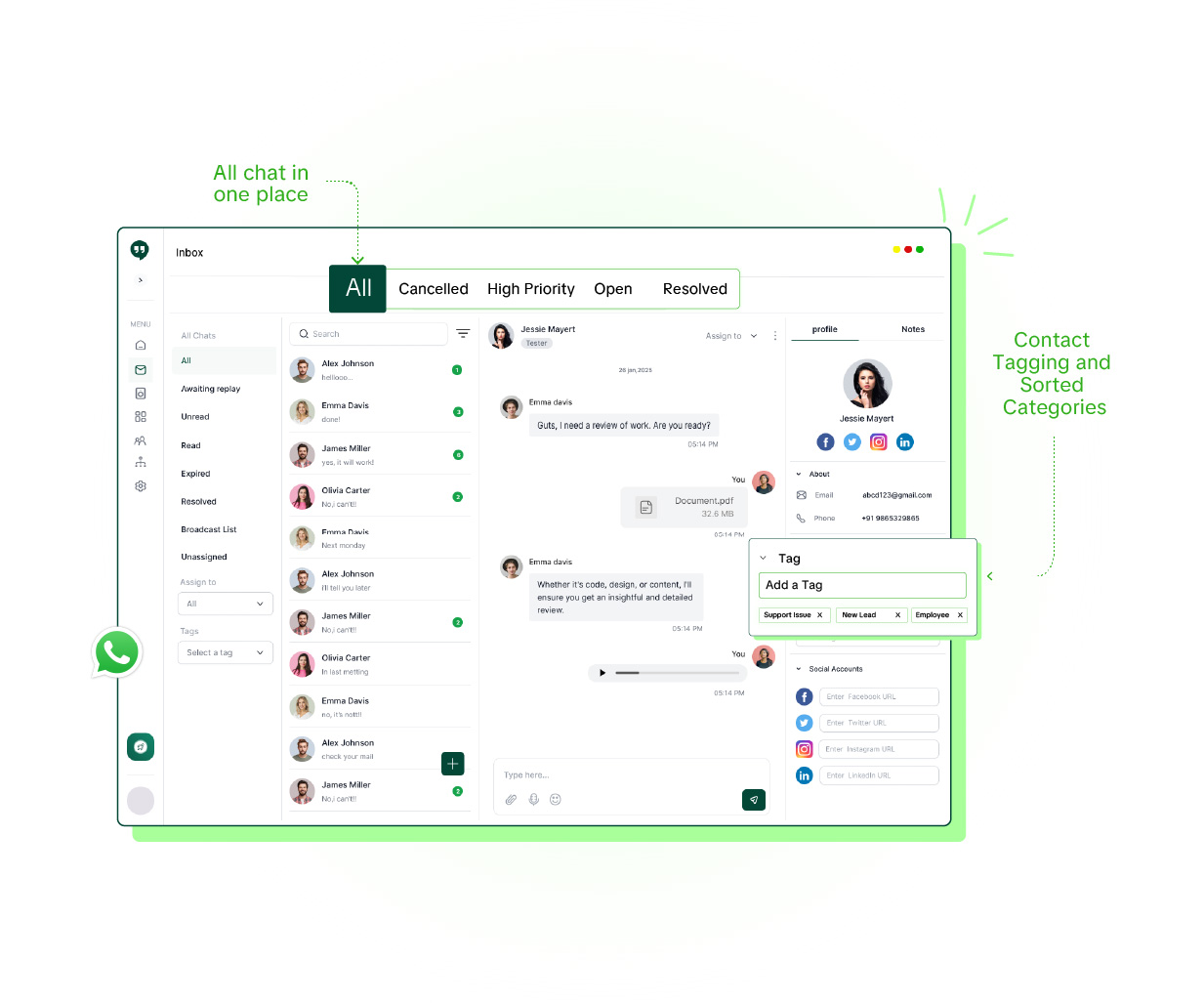
Centralized Communication
All messages are stored in one place, providing easy access to past interactions and preventing important information from getting lost. It simplifies inbox management and improves workflow efficiency.
- All messages in one place
- Contact tagging and sorted categories
Strong Engagement With Customers
Quick and consistent responses to customer queries create a positive experience, fostering trust and long-term relationships.
- Personalize customer conversation
- Timely update, and provide customer support

One WhatsApp Number, Your Whole Team
The WhatsApp Business app and WhatsApp Web were built to give one person more screens, not to let a team share a queue. Link a number across a few devices and everyone sees the same undivided chat list — no assignment, no record of who replied, no roles, and a hard four-device cap. The multiple-devices guide covers exactly where that breaks down.
Liliya's shared inbox runs on the official WhatsApp Business API, so unlimited agents log in with their own accounts on the same number. Conversations are assigned to a person, internal notes carry context between shifts, labels track status, and roles control who sees what. Chats that start from a broadcast or a chatbot flow land in the same place, so automation and a human hand-off work together instead of as separate tools.
Can multiple people use one WhatsApp number at the same time?
Not properly with the WhatsApp Business app — linked devices only mirror one account, with no way to assign chats or see who replied, and a four-device cap. A shared team inbox on the WhatsApp Business API gives every agent their own login on the same number, with chat assignment, internal notes and roles.
How is a shared team inbox different from WhatsApp Web?
Everyone on WhatsApp Web for a number is signed into the same account and sees the same undivided chat list. A shared team inbox routes each conversation to a specific agent, records who handled what, applies role-based permissions, and keeps working even if the owner's phone is offline.
Do I need to change my WhatsApp number to use a team inbox?
No. Liliya connects your existing WhatsApp business number through the official WhatsApp Business API. Customers keep messaging the same number; your team just answers from a shared dashboard instead of a phone.
How many agents can share the inbox?
Unlimited team members on every Liliya plan, from the entry DIY plan onward — there is no per-seat charge.
Can I assign conversations and control who sees what?
Yes. Conversations can be assigned to an agent or team, with internal notes for context, labels for status, and roles and permissions that control which conversations and features each person can access.
Frequently Asked Questions
Find answers to all questions here and get answers to all common questions here
1. What is the Team Inbox?
<p>The Team Inbox is a shared dashboard where all inbound WhatsApp messages to your business number appear in real time. Multiple agents can log in simultaneously, pick up conversations, and reply — just like a shared email inbox but for WhatsApp. Every conversation is visible to the whole team, eliminating the problem of messages getting missed on a single person's phone.</p>
2. How many agents can use the Team Inbox at the same time?
<p>The number of agents depends on your plan. The Starter plan includes a single-agent setup, while Basic and Pro plans support multiple concurrent agents. You can add extra agent seats from the billing section at any time. All agents share the same WhatsApp number — customers always message one number and the team handles it internally.</p>
3. Can I assign a conversation to a specific agent?
<p>Yes. Any agent or admin can assign an open conversation to a specific team member. The assigned agent gets a notification and the conversation is highlighted in their queue. This prevents two agents from replying to the same customer at the same time.</p>
4. How does contact tagging work?
<p>Tags are colour-coded labels you can attach to any contact or conversation — for example "Hot Lead", "Support", "Paid Customer". You can filter the inbox by tag to see only the conversations that matter to you right now. Tags also integrate with broadcasts, so you can target only contacts with a specific tag.</p>
5. Can I see the full chat history of a contact?
<p>Yes. Every message exchanged with a contact — across all agents and all time — is stored and visible in a single conversation thread. You can scroll back through the entire history, search for keywords, and see which agent handled each reply.</p>
6. Does the Team Inbox work on mobile?
<p>The Liliya web dashboard is fully responsive and works well on smartphones and tablets through a mobile browser. There is no separate native app required — agents can handle conversations from any device with an internet connection.</p>
Get Started
Just Connect Your Number. We'll Handle the Rest.
Our team sets you up live on call. You send your first campaign. Customers reply. It really is that simple.